MHFU DB
An offline guide to Monster Hunter Freedom Unite, organized around how a hunter plans.
Overview
MHFU DB: Hunter Guide is an iPhone and iPad app for Monster Hunter Freedom Unite. I built it over a long weekend and polished it the following week.
It answers the two questions that come up on every hunt: what can I farm on this quest, and where do the materials for this weapon come from? All game data ships inside the app, so it works offline.
Why I built it
Freedom Unite was the first game I played in my favorite series. Hunter Guide is a passion project for it. I use the app on my current run.
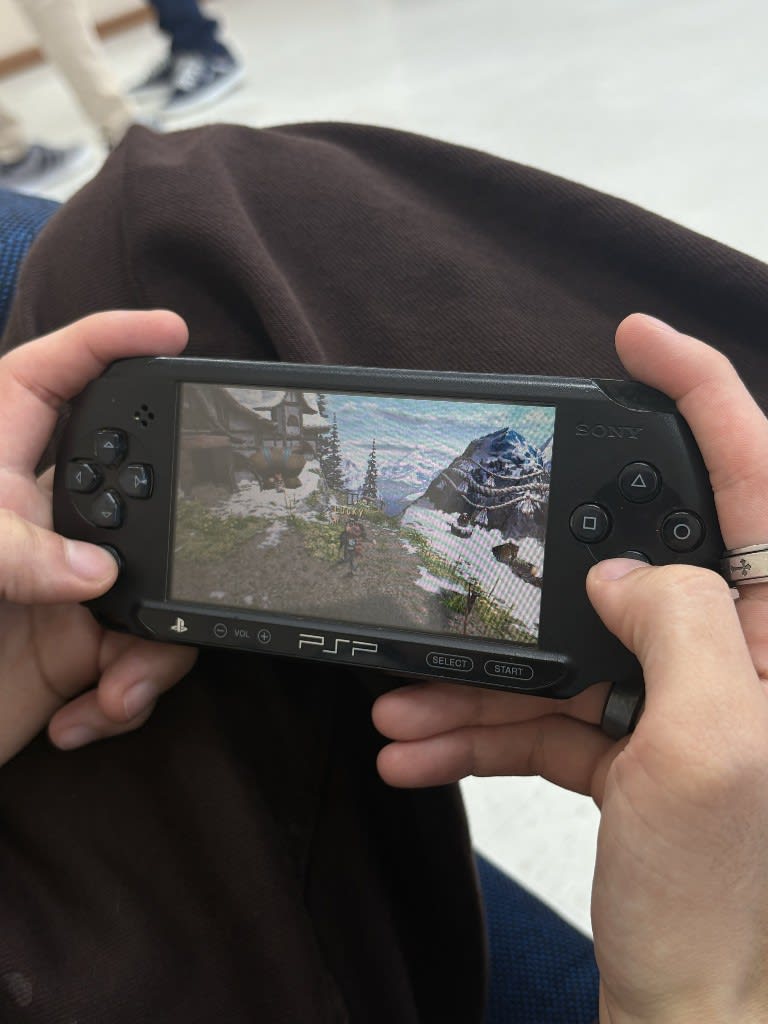
My current Freedom Unite run, on the PSP.
When I looked on the App Store, the only Freedom Unite apps targeted very old versions of iOS. There was no definitive database for the game.
Those apps follow the shape of the data. The menu has one entry per database table, such as Quests, Monsters, Weapons, and Items.
Some pages link to each other, but the player still has to connect quest, monster, rank, and map on their own. Apps for newer Monster Hunter games use the same table-first pattern.
By table, the answer takes about 9 taps across several lists. By task, the quest page shows it in 3.
I wanted an app organized around what a hunter is trying to do, not around how the data is stored.
My role
I designed and built it on my own. Most of the work was information architecture: where each kind of data lives, what a page shows first, and how pages link to each other.
How I use AI covers how I worked with coding agents.
How it works
5,672 records: one flat list regrouped into Hunt, Equipment, and Database, with Search across all three.
Freedom Unite has 541 quests, 1,500 weapons, 2,075 armor pieces, 84 monsters, 1,278 items, 172 combinations, and 22 locations.
The first version of the app had one tab per data type: Quests, Monsters, Weapons, and Items, plus Search. That layout copied the database tables, the same pattern I set out to fix.
Later that same day, I regrouped everything into three tabs that follow the order a hunter plans in. Search sits next to them and covers all three.
From one row per table, to four tabs plus Search, to three tabs in the order a hunter plans.
Hunt is where you pick a quest. Equipment is where you plan a weapon or an armor set. Database is the reference shelf for monsters, items, combinations, and locations.
Links stay in your tab
Every page answers one question and links to the next. A weapon lists its materials, a material lists where it drops, and a monster lists the quests it appears in.
Following that chain never switches tabs. Each page pushes onto the stack you started in, so Back always returns to where you were.
Hunt
Hunt groups quests by hub, then by star rank. Every group starts closed. Its row shows only the star rank and the quest count, which is enough to choose where to look.
A search or a star filter opens every group with a match. Clearing it brings back the groups you had open.
On a quest page, hunt drops and gathering are separate lists. A Giadrome quest has 7 items from the hunt and 48 from gathering. In one list, herbs would sit above the monster the quest is named after.
Hunt: star groups stay closed until you open one.
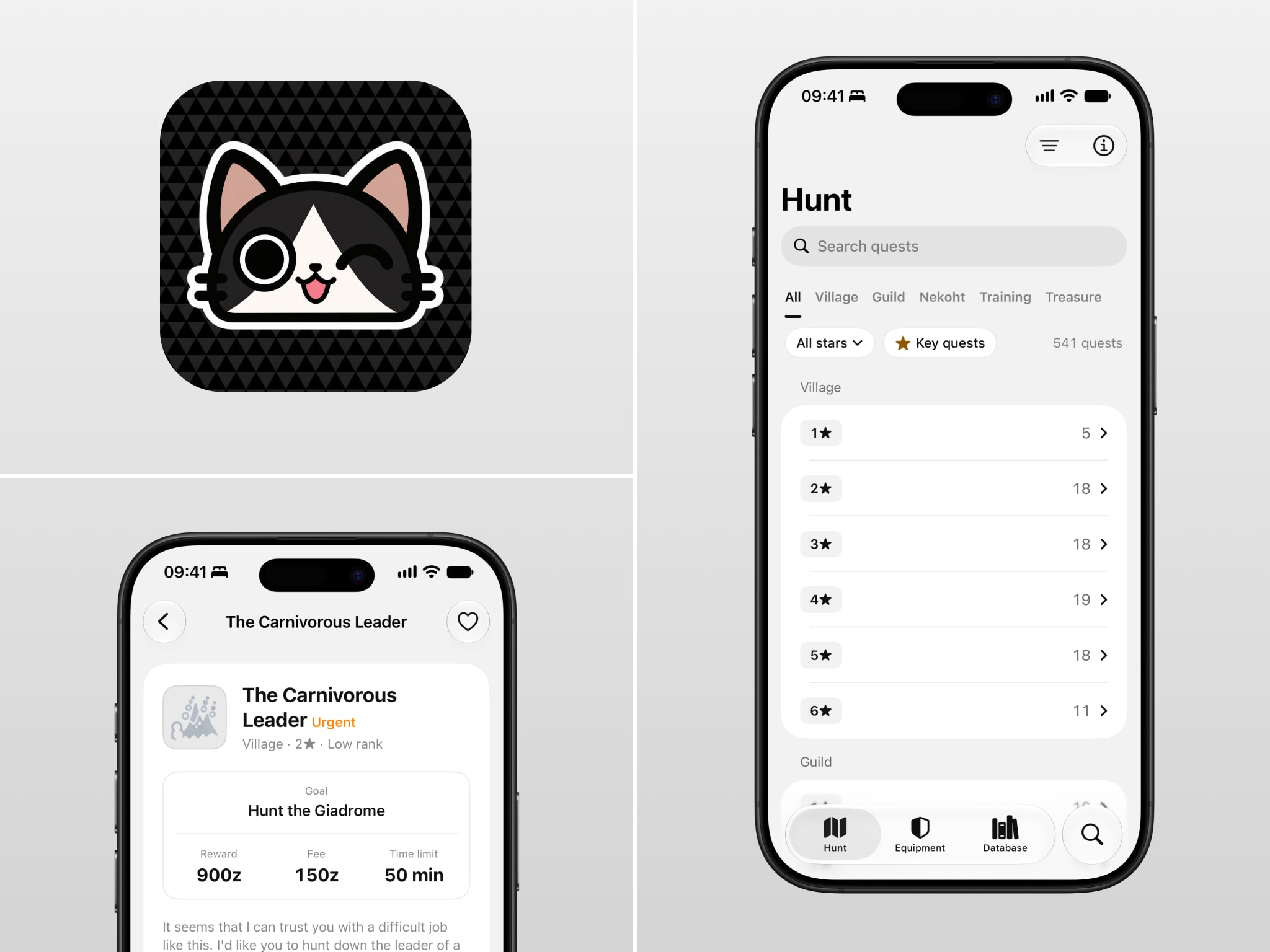
The Carnivorous Leader: from the Hunt list to its quest page.
Every source on the item
An item page lists every way to get it: carves, part breaks, captures, drops, gathering points with their rates, and quest rewards.
The page sorts sources by the rank you reach first, so a 90% drop from a treasure quest never sits above a low-rank mining spot.
Rows keep only what tells them apart. A quest row reads "Guild 4★" because the hub and star already imply the rank.
Akantor Claw: every source, then what it crafts.
Equipment
Equipment lists the 11 weapon types under Blademaster and Gunner, with armor and decorations on the same screen.
Long Sword alone has 122 weapons. Each weapon type opens as an upgrade tree with rank filters and a "Final upgrades" shortcut.
A weapon page shows its place in the tree and the materials to make it. Each material links to where it drops.
Great Pincer: sharpness, upgrade tree, and materials.
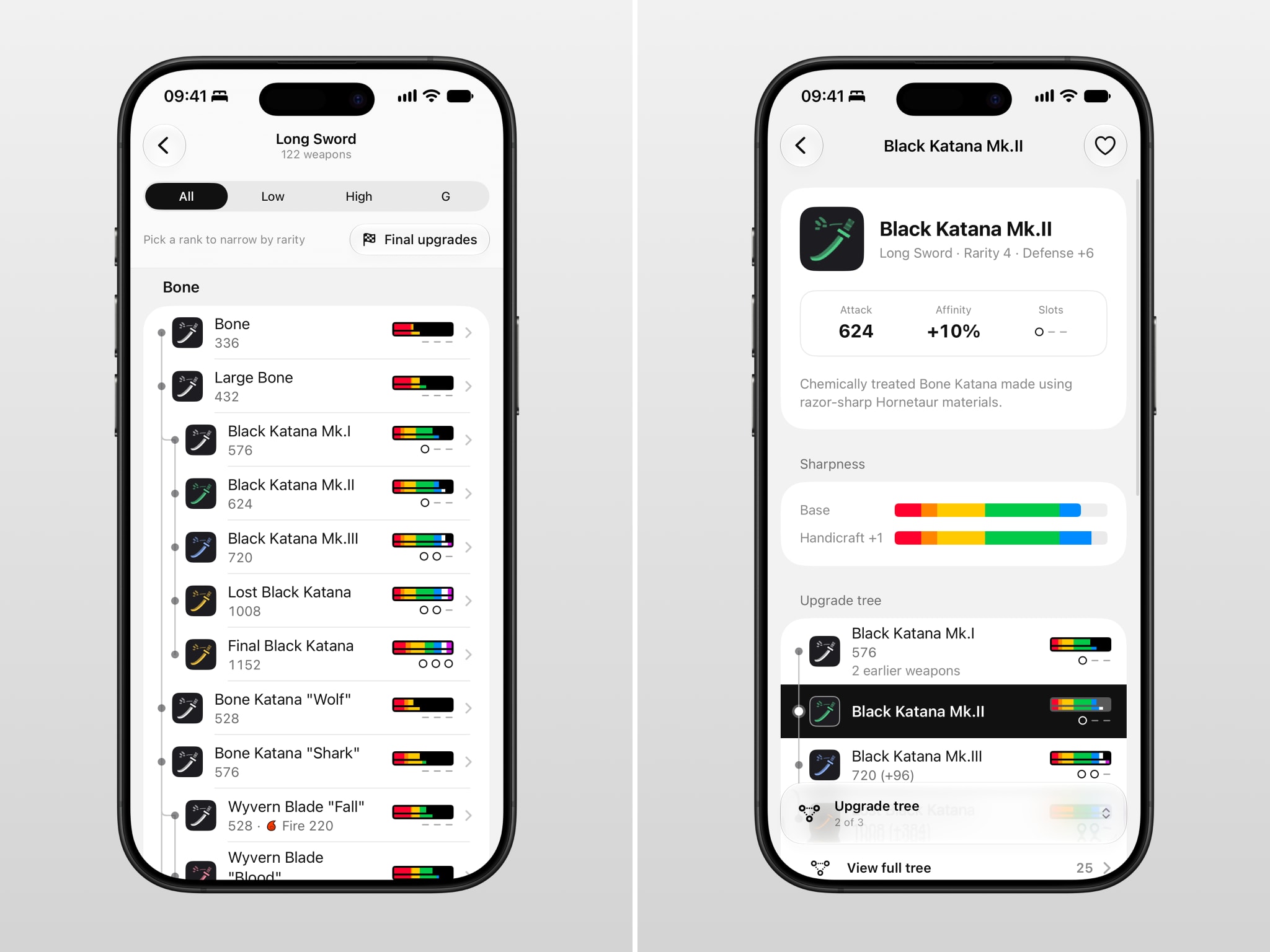
Long Sword: the upgrade tree and one weapon in it.
Database
Database splits the reference lists into four scopes: Monsters, Items, Combinations, and Locations. Each scope keeps its own search.
A location page shows the area map, the monsters from quests set there, and gathering grouped by rank, area, and numbered point.
The 172 combinations have their own list. Each one also appears on the item it makes, because that is where a hunter looks for it.
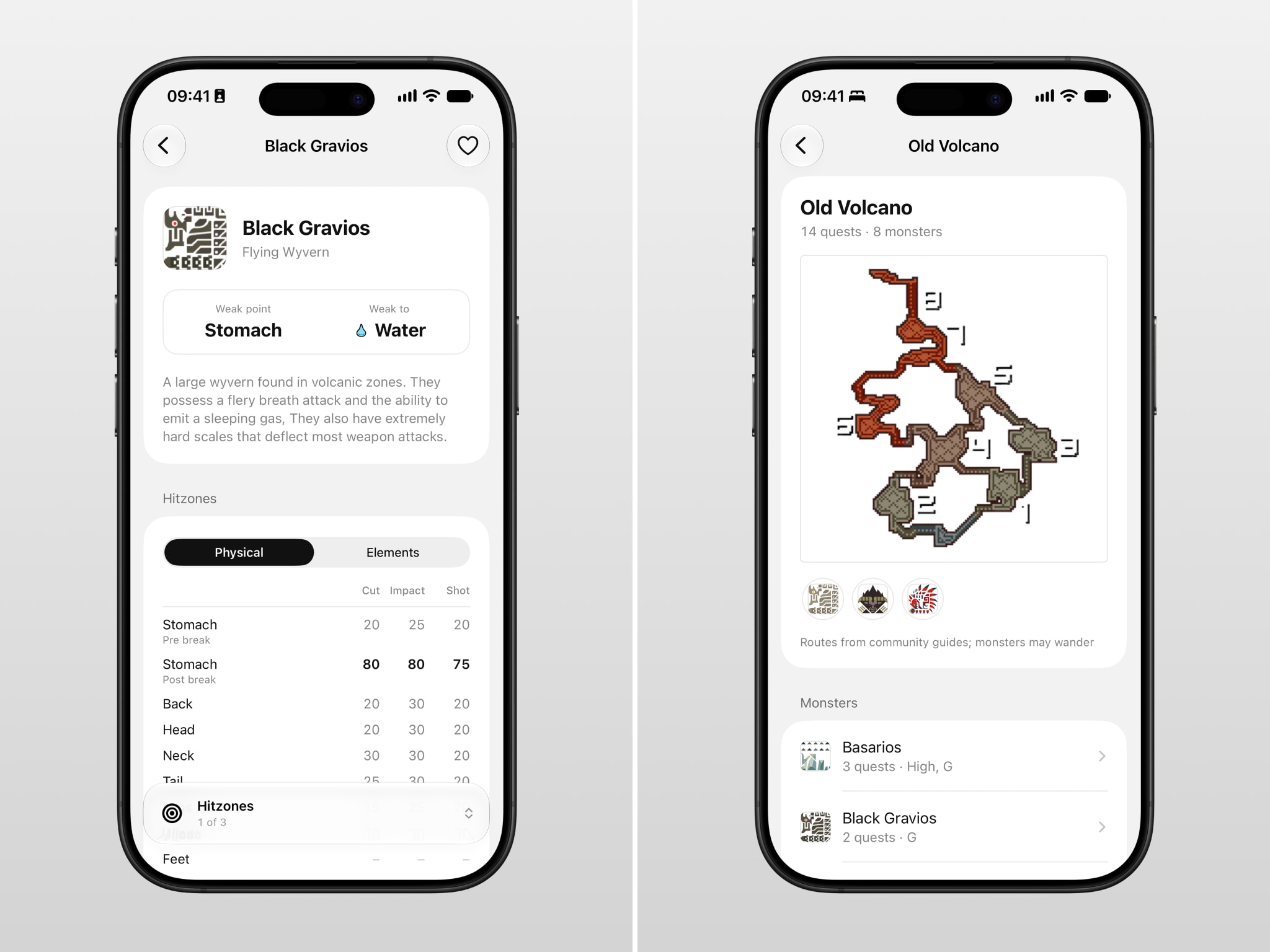
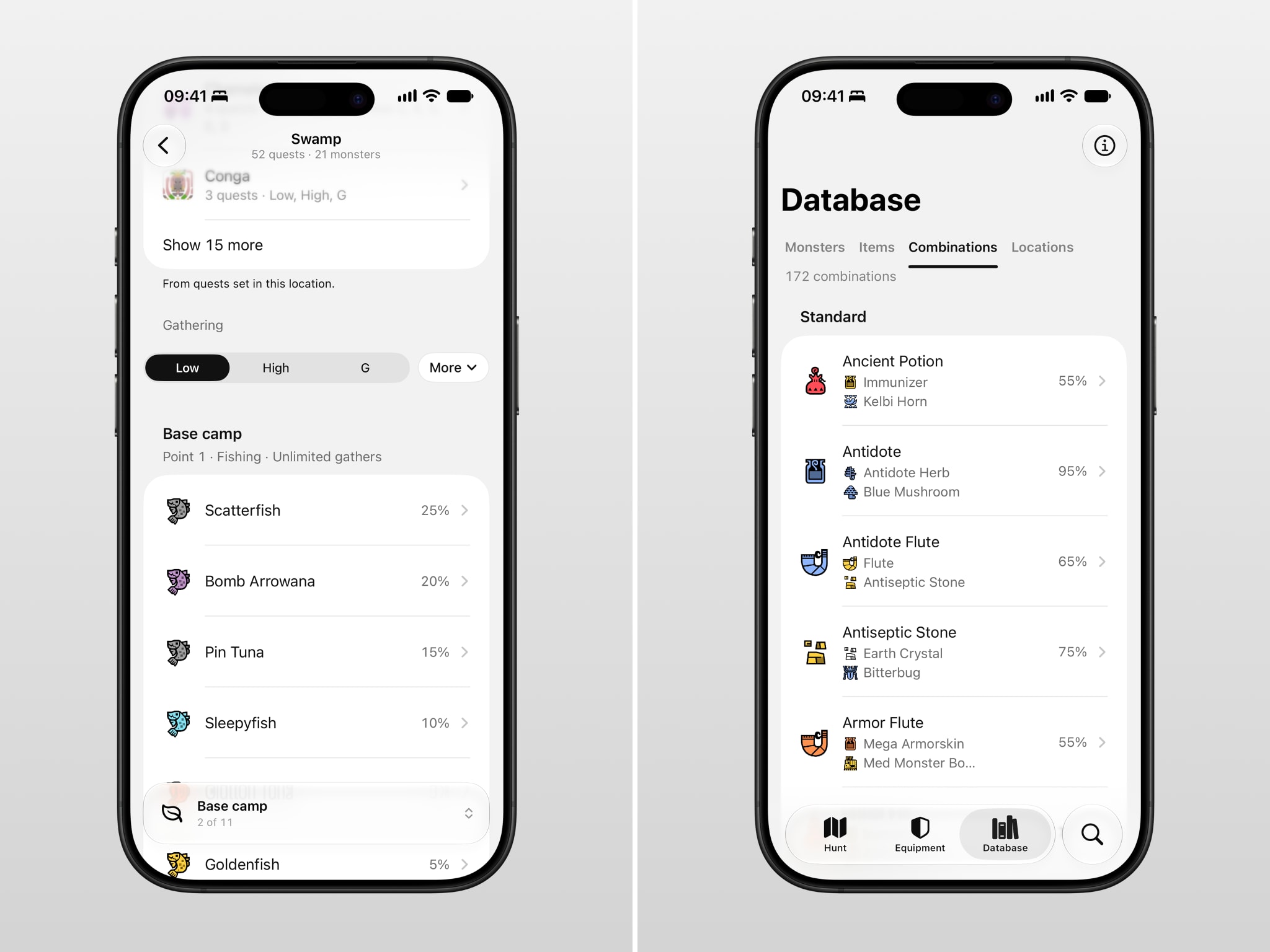
Database: monsters and maps, then gathering and combinations.
Labels
I kept one word per idea across the app. Reward groups read Main, Fixed, Extra, or Bonus.
A gathering spot with no number reads "Area not recorded" instead of staying blank. Empty states say what is missing.
Search uses the game's own names. Typing "rath" puts Rathalos, Rathian, and their variants under Monsters, with their weapons in the group below.
Searching "rath": monsters first, then their weapons.
Built as a real product
Under the structure is a 7.7 MB SQLite database that ships with the app and opens read-only through GRDB.
Python scripts build it from two community projects, mhfu-db and MHFUDatabase. They drop 14 duplicate quest listings, which is how 555 source quests became 541. A check script stops the build if a table is empty or a link points nowhere.
The app uses SwiftUI, and App Intents connect it to Siri, Shortcuts, and Spotlight. It has no accounts, ads, or tracking.
Ready for iPhone Duo
I designed the app with the iPhone Duo in mind. Built with the iOS 27.2 SDK, it fills the whole Duo display, with the tab bar running down the side.
At first, list cards ran under that side bar. Each edge now keeps its own safe-area margin, so the reading column stays centered on the content.
The App Store listing has its own set of seven screenshots for the Duo's outer display. Three TestFlight testers used an iPhone Duo.
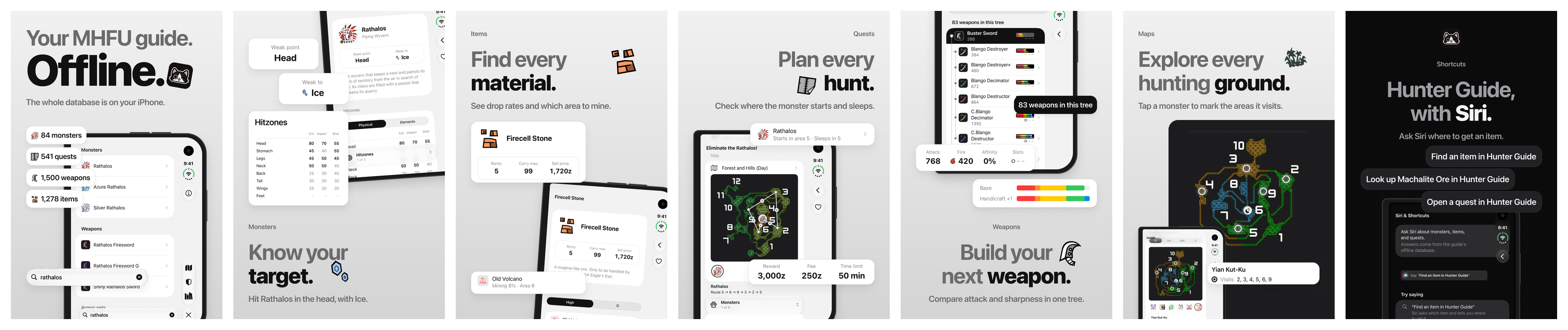
The App Store set for the iPhone Duo's outer display.
Tools
- Figma for the mockups and the screens shown in this post.
- Cursor for implementation and for running coding agents.
- Xcode for builds, tests, and the simulator recordings in this post.
- Fastlane to upload the App Store listing.
- Remotion for the film at the top of this page.
- Stageshow for the illustrations in this post.
How I use AI
I kept the structure for myself, from the three tabs down to the labels.
When I wasn't sure about a layout, I had agents build three navigation variants behind a debug switch. I picked one after trying all three.
Coding agents in Cursor wrote most of the code. I often ran several at once, each with one job: building a screen, extending the data pipeline, auditing all 84 monster pages against the database, or recording simulator clips for this post.
Fast models did the implementation. Stronger models reviewed changes in read-only mode and drafted copy.
I read their reports, asked for fixes, and made the final call. I logged decisions in the repo, so the next agent started from them instead of guessing.
Of the 150 commits on main, 101 carry Cursor's co-author tag.
Launch
Before release, I shared a public TestFlight link for build 1.0 (2) in two Monster Hunter communities on Reddit, and I answered the comments on both posts.
On r/MHFU, the post was the community's post of the day, with 12k impressions, 158 upvotes, and 30 comments. On r/MonsterHunter, it reached 3.6k impressions.
Those posts brought in the testers. 52 people joined through the link, and 26 of them installed the app. 16 of those installs came on the first day.
The 26 testers opened the app 140 times. Four of them account for 92 of those sessions, and the most active one opened it 48 times. 10 people opened it once.
It ran on 23 iPhones, from iPhone 11 to iPhone 17, and 3 iPads. No one reported a crash or sent feedback through TestFlight.
App Store
Download MHFU DB on the App Store.
Credits
Hunter Guide builds on work the Monster Hunter community shared openly. The app's About screen lists the same sources.
- Quest, monster, weapon, armor, and item data from mhfu-db by Kolyn090.
- Gathering points and rates, quest rewards, area maps, and icons from MHFUDatabase by Gustavo Augustini (MIT).
- Item icons drawn in HD by GeneStarwind, from the MHFU-HD texture pack.
- Monster icons from Monster Hunter DB by CrimsonNynja (MIT).
- Monster routes transcribed from Almar's Guides and MHP2G@Wiki.
- Sleeping areas from the Monster Hunter Wiki.
- Database access through GRDB.swift.
Thank you to Capcom for Monster Hunter. The series and everything in it belong to Capcom. Hunter Guide is an unofficial fan project and is not affiliated with or endorsed by Capcom.
I'm just a fan who loves this series. I'm glad I can help new and veteran hunters a little on their hunts.